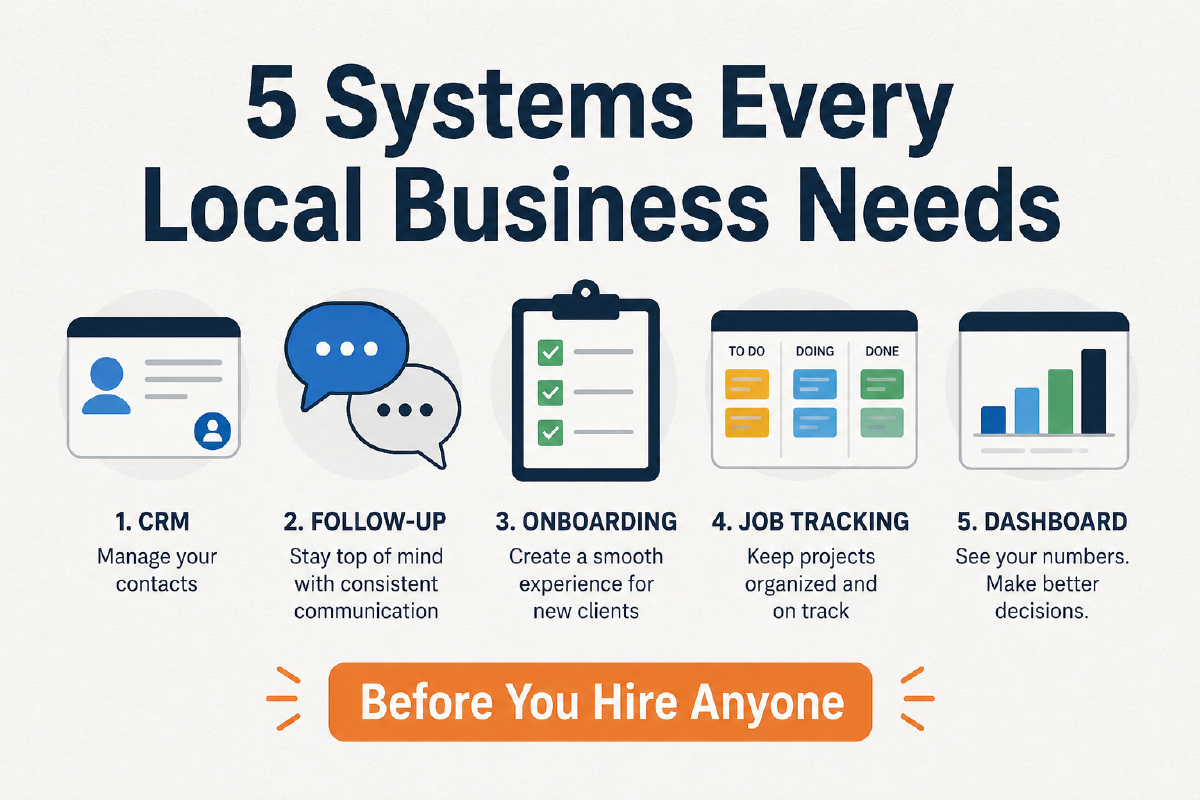
Most local business owners don’t lose clients because of bad service. They lose them because the back end is chaos. If you’re serious about growth, the right systems for small business growth aren’t optional; they’re the foundation everything else is built on.
This post is for local service businesses, landscapers, contractors, cleaning companies, home service providers, consultants, who are doing solid work but running operations out of a text thread, a spreadsheet, and memory.
Here are the five systems you need to have in place before you bring on a single employee or subcontractor.
System #1: A CRM / Lead Capture System#
What it is: A centralized place where every lead, prospect, and client lives: contact info, history, status, and notes.
Why it matters: Right now, leads are probably coming in through your phone, a contact form, Facebook messages, and word of mouth. Without a single place to track them, leads fall through the cracks. You forget to follow up. A hot prospect goes cold because you were on a job.
A CRM (Customer Relationship Management) tool fixes this. At minimum, you need:
- A form or phone number that captures leads automatically
- A pipeline view that shows where each lead is in your process
- Tags or stages (New Lead → Quoted → Booked → Active → Complete)
Good options for local businesses: HubSpot (free tier), JobNimbus, Housecall Pro, or even a well-structured Notion database. The tool matters less than the discipline to use it.
The rule: If a lead isn’t in the CRM, it doesn’t exist.
System #2: An Automated Follow-Up Sequence#
What it is: A series of pre-written messages that go out automatically after someone contacts you, requests a quote, or doesn’t respond after an estimate.
Why it matters: Most sales happen on the 5th to 8th contact. Most local business owners follow up once, maybe twice, and then move on. Your competitors are doing the same thing, which means whoever follows up more consistently wins.
An automated follow-up sequence doesn’t feel robotic when it’s written in your voice. It sounds like you, just reliable.
A basic sequence looks like this:
- Immediate: “Thanks for reaching out. I’ll be in touch within [timeframe].”
- Day 1: Personalized follow-up with a specific question or offer
- Day 3: Light check-in, value add (a tip, a case study, a FAQ)
- Day 7: Final “Is this still on your radar?” message
This is the easiest way to recapture 20 to 30% of leads you’re currently losing to silence.
System #3: A Client Onboarding Workflow#
What it is: A standardized checklist and communication sequence that every new client goes through from the moment they say yes to the moment the job starts.
Why it matters: This is where most local businesses drop the ball and don’t know it. The client said yes, but then: Did they get a welcome message? Do they know what to expect? Did someone collect the deposit? Did someone confirm the date? Is all their info in the right place?
Without a documented onboarding workflow, every new client is a different experience, and some of them are a mess. One bad onboarding experience creates a bad review, a refund request, or a chargeback.
A good onboarding workflow includes:
- Contract or agreement sent and signed
- Deposit invoice and payment confirmation
- Welcome message with job details, timeline, and point of contact
- Confirmation of access, keys, codes, or anything else you need from them
- Day-before reminder
This doesn’t need software. A checklist in Notion or even a printed laminated card at your desk works. The point is that every client gets the same experience, every time.
System #4: A Job/Project Tracking System#
What it is: A live view of every active job: what’s been done, what’s pending, who’s responsible, and what’s next.
Why it matters: Once you have more than a few jobs running simultaneously, your brain stops being a reliable project manager. You’ll miss a callback. You’ll forget a follow-up. You’ll show up to a job and realize the materials weren’t ordered.
A job tracking system gives you, and eventually your team, a single source of truth about every active job.
For local businesses, this should track:
- Job name, address, and scheduled date
- Current status (Scheduled → In Progress → Punch List → Complete → Invoiced → Paid)
- Assigned crew or subcontractor
- Materials needed or ordered
- Notes from the last site visit
Good options: Trello, Asana, Monday.com, ServiceTitan, or Housecall Pro. The best system is the one your team will actually use.
System #5: A Reporting/Visibility Dashboard#
What it is: A weekly or monthly view of your key numbers: revenue, jobs completed, outstanding invoices, lead-to-close rate, and costs.
Why it matters: Most local business owners don’t know their numbers. Not because they’re bad at business, but because they’re heads-down doing the work. The problem: you can be busy and broke at the same time. You can be growing and losing money at the same time.
A reporting dashboard doesn’t have to be complex. A simple weekly Google Sheet that you fill in for 15 minutes every Friday is enough to start. What to track:
- Total revenue invoiced vs. collected
- Number of new leads and conversions
- Jobs completed and jobs outstanding
- Biggest cost categories (labor, materials, marketing)
Once you can see these numbers week over week, patterns emerge. You’ll notice your slow months, your best lead sources, which jobs have the best margins, and where your money is going.
This is the difference between running your business and owning it.
What This Looks Like in Practice#
Meet Marcus. He runs a landscaping company: four crews, solid reputation, steady word-of-mouth. But every spring, he’s overwhelmed. Leads come in faster than he can respond, jobs get double-booked, and he doesn’t invoice for two weeks because he’s on the tools all day.
After building out these five systems:
- New leads get an immediate text and land in his CRM automatically
- Estimates that go cold get a 3-step follow-up without Marcus lifting a finger
- Every new client gets the same onboarding sequence: contract, deposit, welcome text, reminder
- His foremen update job status on their phones throughout the day
- Every Friday, Marcus reviews a one-page dashboard before heading home
Result: fewer dropped leads, faster cash collection, and a business that doesn’t break down the second he steps off the tools.
He didn’t hire to solve his ops problem. He built the systems first. Now hiring actually makes sense.
Ready to See Where Your Operation Stands?#
If you’re not sure which of these systems you’re missing, or which ones you have but they’re barely working, a Free Ops Audit is a good place to start.
In 30 minutes, we’ll walk through your current workflow, identify the gaps that are costing you the most, and give you a prioritized list of what to fix first.
No pressure. No pitch. Just clarity.
📬 The System Brief
One workflow. One prompt. One principle. Every week:free.